一次在华为 HiDevLab(CANN 9.0.0 + openEuler 镜像)上从源码编译 torch_npu 的完整实战记录:从源码获取、修改 op_api 日志,到 GCC 11.2.0 与 CMake 3.18.4 的连环踩坑修复,再到 Whl 打包安装与 NPU 功能验证。
环境:华为 HiDevLab 在线 IDE
CANN 9.0.0 + openEuler 镜像(aarch64)
torch_npu v2.7.1-26.0.0 / torch 2.7.0
一、环境与镜像准备
在HiDevLab创建一个CANN9.0.0-OpenEuler的镜像。
注:这个镜像的gcc版本默认只能编译2.7.1分支。

二、获取 torch_npu 源码
进入在线IDE后,clone torch_npu代码,checkout到v2.7.1-26.0.0分支


下载torch_npu源码
# git clone https://gitcode.com/Ascend/pytorch.git -b v2.7.1-26.0.0 --depth 1三、修改 CloneKernelOpApi.cpp 增加日志
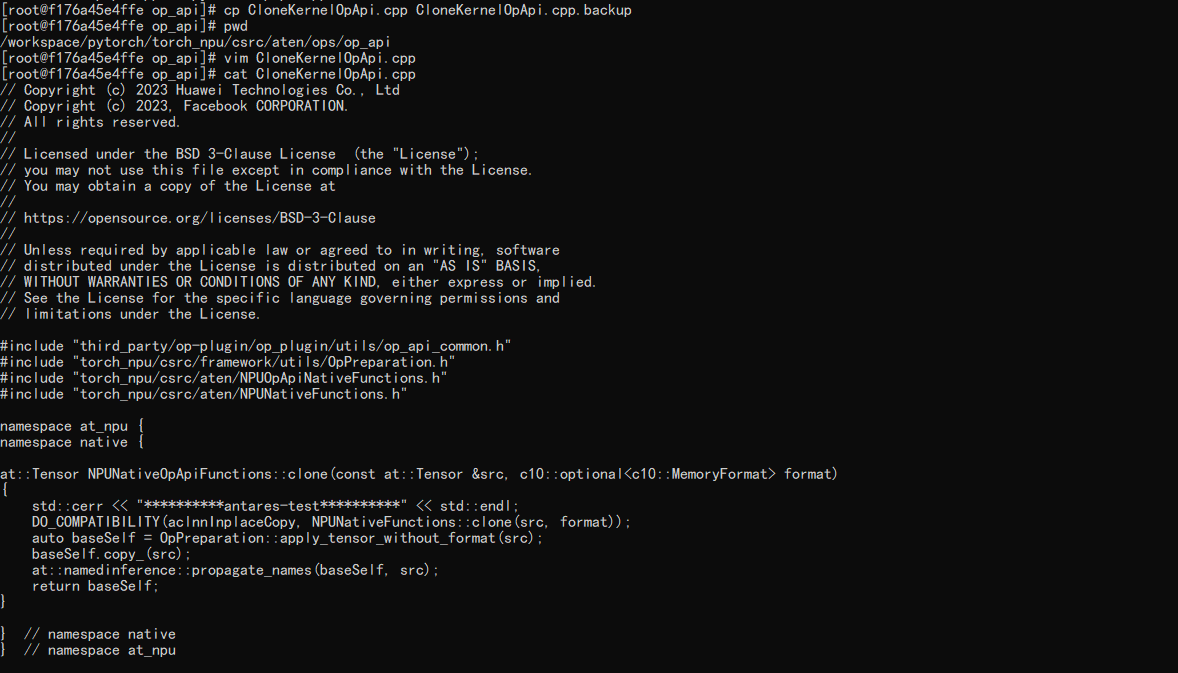
在CloneKernelOpApi.cpp中增加一行日志
# cd workspace/pytorch/torch_npu/csrc/aten/ops/op_api/
# cp CloneKernelOpApi.cpp CloneKernelOpApi.cpp.backup
# vim CloneKernelOpApi.cpp
增加antares-test输出
四、编译环境搭建(GCC / CMake)
完成torch_npu编译,并安装
# yum install -y patch libjpeg-turbo-devel dos2unix openblas git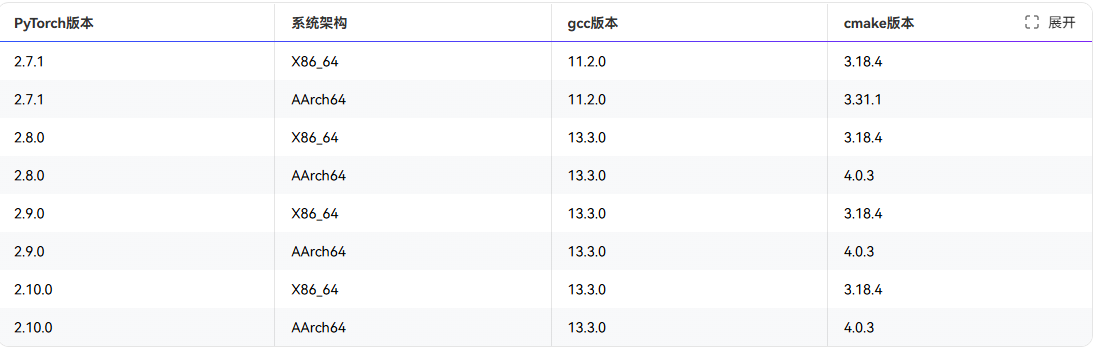
安装 GCC 11.2.0
# wget https://repo.huaweicloud.com/gnu/gcc/gcc-11.2.0/gcc-11.2.0.tar.gz
# rm -rf /tmp/*
# yum install bzip2
# tar -zxvf gcc-11.2.0.tar.gz
# cd gcc-11.2.0
# ./contrib/download_prerequisites
# ./configure --enable-languages=c,c++ --disable-multilib --with-system-zlib --prefix=/usr/local/gcc11.2.0通过grep -w processor /proc/cpuinfo|wc -l查看cpu数,示例为15,用户可自行设置相应参数。
实际显示CPU数量为640
# make -j500报错:
make[3]: Leaving directory '/workspace/pytorch/gcc-11.2.0/host-aarch64-unknown-linux-gnu/gcc'
make[2]: *** [Makefile:4788: all-stage1-gcc] Error 2
make[2]: Leaving directory '/workspace/pytorch/gcc-11.2.0'
make[1]: *** [Makefile:27497: stage1-bubble] Error 2
make[1]: Leaving directory '/workspace/pytorch/gcc-11.2.0'
make: *** [Makefile:1009: all] Error 2
原因是缺少zlib开发组件
# yum install -y zlib-devel
# make -j500
报错:
make[4]: Leaving directory '/workspace/pytorch/gcc-11.2.0/aarch64-unknown-linux-gnu/libsanitizer/sanitizer_common'
make[3]: *** [Makefile:531: all-recursive] Error 1
make[3]: Leaving directory '/workspace/pytorch/gcc-11.2.0/aarch64-unknown-linux-gnu/libsanitizer'
make[2]: *** [Makefile:418: all] Error 2
make[2]: Leaving directory '/workspace/pytorch/gcc-11.2.0/aarch64-unknown-linux-gnu/libsanitizer'
make[1]: *** [Makefile:21270: all-target-libsanitizer] Error 2
make[1]: Leaving directory '/workspace/pytorch/gcc-11.2.0'
make: *** [Makefile:1011: all] Error 2
需要禁用libsanitizer
# cd /workspace/pytorch/gcc-11.2.0
# make distclean
# ./configure --disable-bootstrap --enable-languages=c,c++ --disable-libsanitizer --prefix=/usr/local/gcc-11.2.0
# make -j500
注:本步骤耗时较长
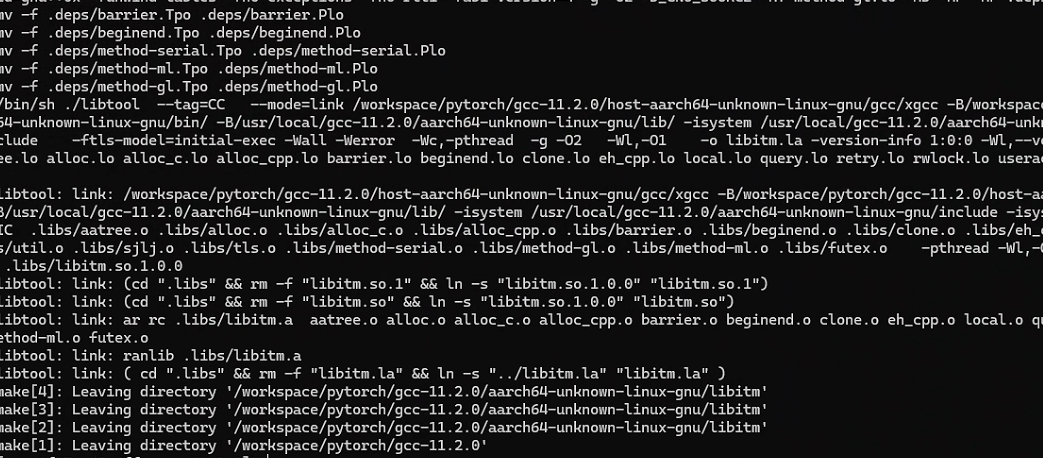
# make install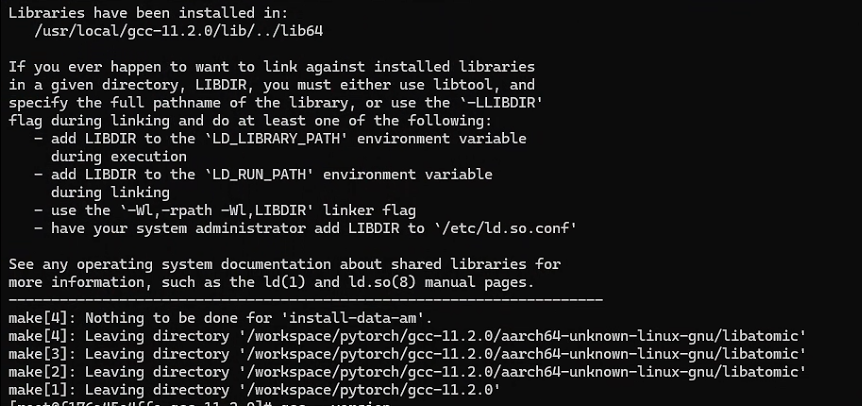
配置 GCC 环境变量
export LD_LIBRARY_PATH=/usr/local/gcc-11.2.0/lib64:${LD_LIBRARY_PATH}
export CC=/usr/local/gcc-11.2.0/bin/gcc
export CXX=/usr/local/gcc-11.2.0/bin/g++
export PATH=/usr/local/gcc-11.2.0/bin:${PATH}
如果上述操作不生效
# mv /usr/bin/gcc /usr/bin/gcc.bak
# mv /usr/bin/g++ /usr/bin/g++.bak
# mv /usr/bin/c++ /usr/bin/c++.bak
# mv /usr/bin/cc /usr/bin/cc.bak
# ln -s /usr/local/gcc-11.2.0/bin/gcc /usr/bin/gcc
# ln -s /usr/local/gcc-11.2.0/bin/g++ /usr/bin/g++
# ln -s /usr/local/gcc-11.2.0/bin/c++ /usr/bin/c++
# ln -s /usr/local/gcc-11.2.0/bin/gcc /usr/bin/cc
安装 CMake 3.18.4
# wget https://cmake.org/files/v3.18/cmake-3.18.4.tar.gz
# tar -xf cmake-3.18.4.tar.gz
# cd cmake-3.18.4/
# ./configure --prefix=/usr/local/cmake
报错
CMake Error at Utilities/cmcurl/CMakeLists.txt:485 (message):
Could not find OpenSSL.  Install an OpenSSL development package or
configure CMake with -DCMAKE_USE_OPENSSL=OFF to build without OpenSSL.
-- Configuring incomplete, errors occurred!
See also "/workspace/pytorch/cmake-3.18.4/CMakeFiles/CMakeOutput.log".
See also "/workspace/pytorch/cmake-3.18.4/CMakeFiles/CMakeError.log".
---------------------------------------------
Error when bootstrapping CMake:
Problem while running initial CMake
需要安装openssl
# yum install -y openssl-devel
# ./configure --prefix=/usr/local/cmake
make -j500
报错:
259 |   FSCONFIG_SET_PATH_EMPTY = 4,    /* Set parameter, supplying an object by (empty) path */
|   ^~~~~~~~~~~~~~~~~~~~~~~
/usr/include/linux/mount.h:102:9: error: redeclaration of enumerator 'FSCONFIG_SET_FD'
102 |         FSCONFIG_SET_FD         = 5,    /* Set parameter, supplying an object by fd */
|         ^~~~~~~~~~~~~~~
/usr/local/gcc-11.2.0/lib/gcc/aarch64-unknown-linux-gnu/11.2.0/include-fixed/sys/mount.h:261:3: note: previous definition of 'FSCONFIG_SET_FD' with type 'enum fsconfig_command'
261 |   FSCONFIG_SET_FD         = 5,    /* Set parameter, supplying an object by fd */
|   ^~~~~~~~~~~~~~~
/usr/include/linux/mount.h:103:9: error: redeclaration of enumerator 'FSCONFIG_CMD_CREATE'
103 |         FSCONFIG_CMD_CREATE     = 6,    /* Create new or reuse existing superblock */
|         ^~~~~~~~~~~~~~~~~~~
/usr/local/gcc-11.2.0/lib/gcc/aarch64-unknown-linux-gnu/11.2.0/include-fixed/sys/mount.h:263:3: note: previous definition of 'FSCONFIG_CMD_CREATE' with type 'enum fsconfig_command'
263 |   FSCONFIG_CMD_CREATE     = 6,    /* Invoke superblock creation */
|   ^~~~~~~~~~~~~~~~~~~
/usr/include/linux/mount.h:104:9: error: redeclaration of enumerator 'FSCONFIG_CMD_RECONFIGURE'
104 |         FSCONFIG_CMD_RECONFIGURE = 7,   /* Invoke superblock reconfiguration */
|         ^~~~~~~~~~~~~~~~~~~~~~~~
/usr/local/gcc-11.2.0/lib/gcc/aarch64-unknown-linux-gnu/11.2.0/include-fixed/sys/mount.h:265:3: note: previous definition of 'FSCONFIG_CMD_RECONFIGURE' with type 'enum fsconfig_command'
265 |   FSCONFIG_CMD_RECONFIGURE = 7,   /* Invoke superblock reconfiguration */
|   ^~~~~~~~~~~~~~~~~~~~~~~~
In file included from /usr/include/linux/fs.h:19,
from /workspace/pytorch/cmake-3.18.4/Utilities/cmlibarchive/libarchive/archive_read_disk_posix.c:56:
/usr/include/linux/mount.h:131:8: error: redefinition of 'struct mount_attr'
131 | struct mount_attr {
|        ^~~~~~~~~~
In file included from /workspace/pytorch/cmake-3.18.4/Utilities/cmlibarchive/libarchive/archive_read_disk_posix.c:38:
/usr/local/gcc-11.2.0/lib/gcc/aarch64-unknown-linux-gnu/11.2.0/include-fixed/sys/mount.h:219:8: note: originally defined here
219 | struct mount_attr
|        ^~~~~~~~~~
make[2]: *** [Utilities/cmlibarchive/libarchive/CMakeFiles/cmlibarchive.dir/build.make:433: Utilities/cmlibarchive/libarchive/CMakeFiles/cmlibarchive.dir/archive_read_disk_posix.c.o] Error 1
make[1]: *** [CMakeFiles/Makefile2:2162: Utilities/cmlibarchive/libarchive/CMakeFiles/cmlibarchive.dir/all] Error 2
make: *** [Makefile:182: all] Error 2
原因是gcc 11.2.0 安装时,fixincludes 机制会把”当时”系统的 sys/mount.h 复制一份”修复版”放进自己的 include-fixed 目录;
而当前环境的系统内核头文件(/usr/include/linux/mount.h)比 gcc 11 发布时新,多了 FSCONFIG_SET_STRING、struct mount_attr 等新定义。
现在系统默认编译器是 gcc 11,编译任何间接包含 linux/mount.h 的程序(CMake 的 libarchive、之前的 libsanitizer 都是)都会撞上这份旧快照。
修复:把冲突的 include-fixed 文件移走
# cd /usr/local/gcc-11.2.0/lib/gcc/aarch64-unknown-linux-gnu/11.2.0/include-fixed/
# ls sys/
把冲突的 mount.h 备份移走(不要直接删,留个后路)
# mv sys/mount.h sys/mount.h.bak
# make -j500
# make install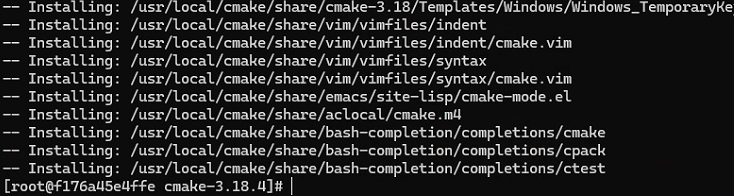
# ln -s /usr/local/cmake/bin/cmake /usr/bin/cmake
# cmake --version
五、编译 torch_npu Whl 包并安装
编译生成 torch_npu Whl 安装包
# bash ci/build.sh --python=3.10报错:
./ci/build.sh: line 106: python3.10: command not found先确认pip源
# cd ~/.pip
# vim pip.conf
[global]
#以华为源为例,请根据实际情况进行替换。
index-url = https://mirrors.huaweicloud.com/repository/pypi/simple
trusted-host = mirrors.huaweicloud.com
timeout = 120
最后直接用3.12的Python编译
# python3.12 -m pip install torch==2.7.0
# export MAX_JOBS=100
# bash ./ci/build.sh --python=3.12
# pip install --upgrade torch_npu-2.7.1.post6+git422f6d9-cp312-cp312-linux_aarch64.whl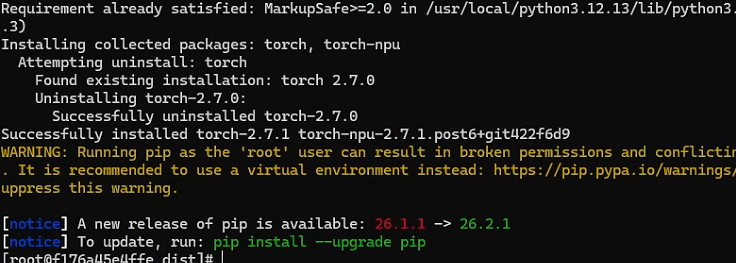
六、功能验证
安装验证
# python3 -c "import torch;import torch_npu; a = torch.randn(3, 4).npu(); print(a + a);"
运行tensor.clone(),观察日志输出
# cat > test/test.py << 'EOF'
import torch
import torch_npu
x = torch.randn(2, 2).npu()
y = x.clone()
print(y)
EOF
# python3.12 /workspace/pytorch/test/test.py